
Recommended Specifications for Lytec – System Requirements

Lytec can be server-based (on-premise) or cloud-based; if choosing a server-based setup, purchasing the hardware recommended by Microwize will prevent slowness, crashing, and freezing issues.
Lytec Cloud Or Lytec MD Cloud
The Lytec Cloud client application can be installed on devices running on the following operating system versions: Windows 10 or higher (Professional recommended); macOS 10.15 (Catalina) or higher; Chrome OS; iOS/iPadOS 14 or higher; or Android 10 or higher.
High speed Internet access (2Mbps upload per computer)
Managed firewall (highly recommended)
Static public IP address, or one office computer per location designated for a public dynamic IP address resolver (DDNS)
Internal computer and network speed of 1Gbps
TWAIN compatible scanner for scanning into the application – (i.e., ScanSnap is not a TWAIN compatible software/hardware and therefore is not supported)
Desktop/Laptop minimum specs:
Desktop – 1 Intel Core 2 Duo Dual Core, 8GB RAM, 320GB HDD, 1 gigabit Ethernet
Laptop – 1 Intel Core i5 Dual Core, 8GB RAM, 320GB HDD, 1 gigabit Ethernet and/or wireless 802.11 b/g/n
Lytec Workstation

- Intel processor equivalent to Core i3 3.0 GHz or higher (AMD not supported)
- 8 GB RAM
- 20 GB of available hard disk space
- DVD-ROM drive (optional; physical media available for an additional fee)
Workstation Operating System
- Windows 10 Professional (with Lytec 2017 and higher versions); Windows 11 with Lytec 2022 and higher only
- Home Editions are not supported
Network
- Full-duplex Ethernet: Gigabit/s card/switch/cabling (for Multi-User, Professional, Client/Server, and MD, computers must be on the same network as, and able to access shared directories on, the database server)
- Wireless networks are not recommended or supported in a client/server configuration and will lead to data corruption. Wireless network access is supported if the client computer is using a third-party application for access (Terminal Services, Citrix, 2X, etc.). Wireless servers are not supported.
Internet
- High-speed cable or DSL (dial-up not supported)
Lytec Patient Accounting Server Hardware (on Premise)
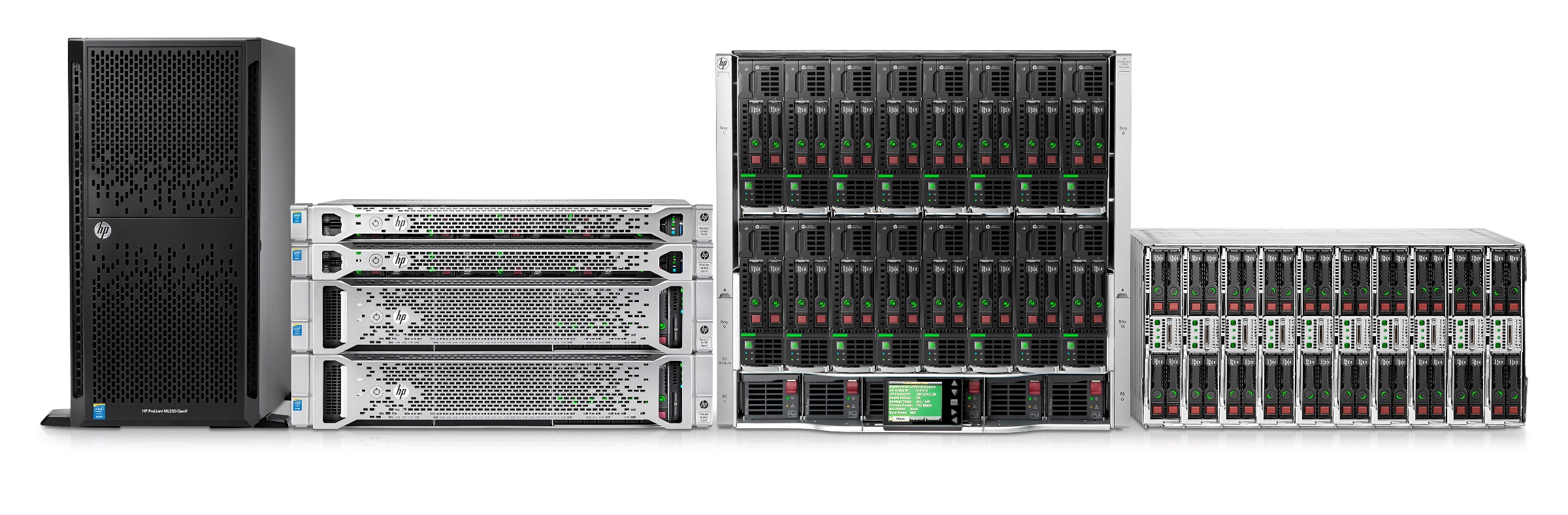
Server Hardware for 5 – 10 Workstations
- Intel processor equivalent to Xeon Quad Core 3.0 GHz or higher (AMD not supported)
- 16 GB RAM
- 32 GB+ available on system drive
- 1 TB+ (one terabyte or more) data drive
- RAID hard disk configuration
- DVD-ROM drive optional; physical media available for an additional fee
- Tested backup system (“bare metal” backups) required
- UPS required
- Only one NIC (Network Interface Card) can be enabled on the server
- These requirements are indicated for an office with 5 to 10 workstations
Server Operating System
MS Small Business Server is not supported
- Windows Server 2016/2019 (Essentials, Standard, or Datacenter only; 2019 for Lytec 2020 and higher only; Foundation not supported; Server 2012/2012 R2 will reach end-of-support in October 2023 and should not be used for new installs)
1 to 5 Workstations
- Windows Server 2016/2019 (Essentials, Standard, or Datacenter only; 2019 for Lytec 2020 and higher only; Foundation not supported; Server 2012/2012 R2 will reach end-of-support in October 2023 and should not be used for new installs)
- Windows 10 Professional (with Lytec 2017 and higher versions); Windows 11 with Lytec 2022 and higher only
- Home Editions are not supported
Other Requirements
- SQL Server 2017 Standard (with licenses for each Lytec user) is a required additional purchase for Client/Server
- Separate data and OS partitions recommended
- Thin client technology (Terminal Services/2X/Citrix) is required for wireless
- Antivirus must be installed; your antivirus must also be capable of being configured to exclude various eMDs folders. Speak to your technology consultant about the antivirus solution we highly recommend.
Lytec MD (Full Suite) Hardware (on Premise)
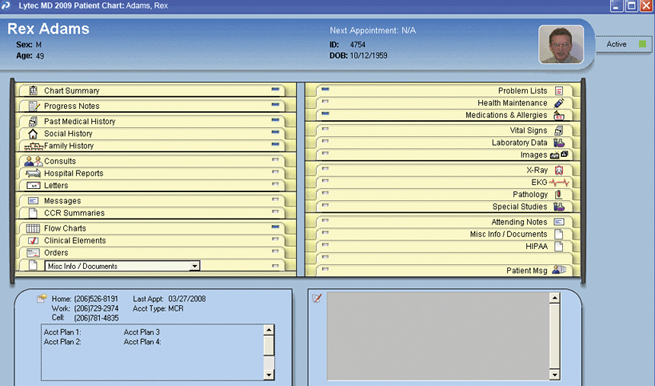
Recommended Specifications for Lytec MD (EMR)
Workstation Hardware
- Intel processor equivalent to Core i3 2.6 GHz or higher (AMD not supported)
- 8 GB RAM
- 20 GB of available hard disk space
- DVD-ROM drive (optional; physical media available for an additional fee)
Workstation Operating System
- Windows 10 Professional (with Lytec 2017 and higher versions); Windows 11 with Lytec 2022 and higher only
- EKG and Spirometry devices are not supported on 64-bit OS
- Home Editions are not supported
Network
- Full-duplex Ethernet: Gigabit/s card/switch/cabling (for Multi-User, Professional, Client/Server, and MD, computers must be on the same network as, and able to access shared directories on, the database server)
- Wireless networks are not recommended or supported in a client/server configuration and will lead to data corruption. Wireless network access is supported if the client computer is using a third-party application for access (Terminal Services, Citrix, 2X, etc.). Wireless servers are not supported.
Internet
- High-speed cable or DSL (dial-up not supported)
Server Hardware for 5 – 10 Workstations
- Intel processor equivalent to Xeon Quad Core 3.0 GHz or higher (AMD not supported)
- 16 GB RAM
- 100 GB+ available on system drive
- 1 TB+ (one terabyte or more) data drive
- RAID hard disk configuration
- DVD-ROM drive (optional; physical media available for an additional fee)
- Tested backup system (“bare metal” backups) required
- UPS required
- Only one NIC (Network Interface Card) can be enabled on the server
- These requirements are indicated for an office with 5 to 10 workstations
Server Operating System
MS Small Business Server is not supported
- Windows Server 2016/2019 (Essentials, Standard, or Datacenter only; 2019 for Lytec 2020 and higher only; Foundation not supported; Server 2012/2012 R2 will reach end-of-support in October 2023 and should not be used for new installs)
Other System Requirements
- SQL Server 2017 Standard (with licenses for each Lytec/MD user) is a required additional purchase
- Data and OS partitions must be separate
- Data partition must be a logical drive designated as P:
- Thin client technology (Terminal Services/2X/Citrix) is required for wireless
- TWAIN scanner required for Zoom
- Domain/Active Directory infrastructure is required
- Antivirus must be installed; your antivirus must also be capable of being configured to exclude various eMDs folders. Speak to your technology consultant about the antivirus solution we highly recommend.
Lytec on MacOS
Ever wish you could run Lytec on your Mac?
Well, now you can!
Lytec Cloud allows you to run Lytec on your iMac, MacBook, Mac Pro, or Apple iPad! Lytec Cloud starts at $49/month per user. To find out more about using Lytec on macOS, check out Lytec Cloud pricing.
Printers
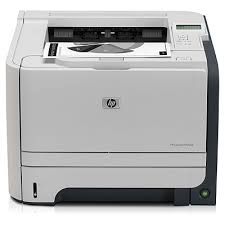
Printer Recommendation for both Lytec and Lytec MD EMR:
- HP LaserJet 1300 or higher; Microwize will not support any other printer
Other Requirements
Important Notes for both Medisoft and Medisoft Clinical EMR:
-
- If you decide to run additional services (DNS, Active Directory, Terminal Services, iTunes, etc.), you will need additional processing power and memory
- Storage requirements can only be used as a guideline. Please contact your Technology Consultant for a personalized storage recommendation
- Hardware-level firewall is recommended
- Dragon Medical must be installed locally. Some integration is not available via thin client
Please contact your Technology Consultant if additional assistance is needed to determine system compatibility.
Need more info?
Call us at 800-955-0321
Call 800-955-0321 or Click below
Download a Demo
Free trial software and online demos
Try a Free Demo
Schedule Live Demo
Let our experts show you our solutions